Az Outlook-naptár bővítmény, amely szövegből eseményt csinál
Jelöld ki bármely szöveget – egy e-mailt, egy menetrendet, egy foglalást –, kattints jobb egérgombbal, és a Text to Outlook Calendar létrehozza az eseményt. A dátum, az időpont, az időzóna és a helyszín automatikusan kitöltésre kerül.
Több mint 626 Outlook-felhasználó bizalmát élvezi – 4 csillagos értékelés a Chrome Web Store-ban
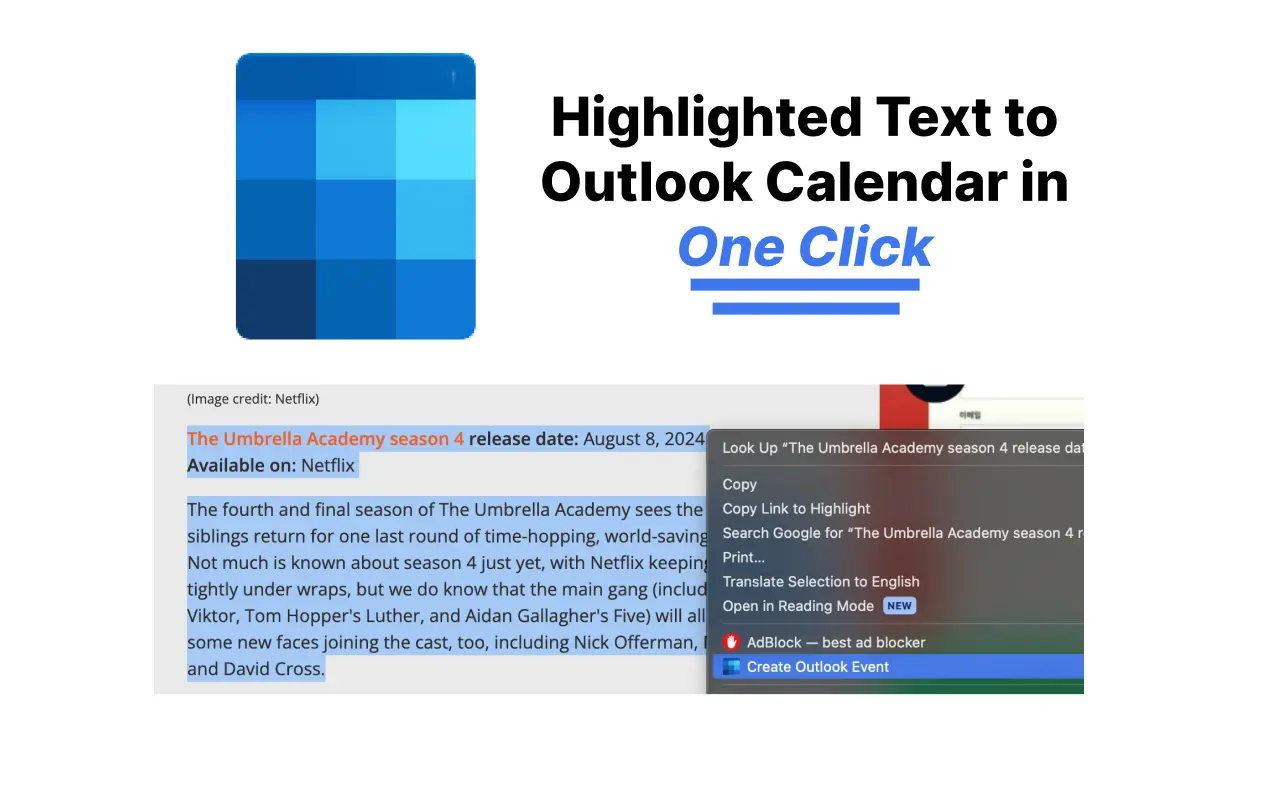
Miért töltöd ki az Outlook-naptárat kézzel?
Egy kattintás a kijelölt szövegből
Jelöld ki a megbeszélésedet megemlítő szöveget, kattints jobb egérgombbal, és válaszd az Outlook-naptáresemény létrehozása lehetőséget. Nincs lapváltás, nincs kézi kitöltés.
Automatikusan kitöltött részletek
A mesterséges intelligencia kivonja a dátumot, az időpontot, az időzónát, a helyszínt és a leírást a szövegből – még hosszú, rendezetlen e-mailekből is.
Több és ismétlődő esemény
Illeszd be a teljes menetrendet, és minden alkalom külön Outlook-eseményként jelenik meg, beleértve az ismétlődő mintákat is, mint például a heti rendszerességű órákat.
Működik a te Outlookodhoz
Támogatja a személyes outlook.com-fiókokat és a Microsoft 365 / Office munkahelyi fiókokat egyaránt. A beállításokban egyszer válaszd ki a sajátodat.
Nincs több kézi beviteli hiba
Hagyd abba a dátumok újragépelését különböző időzónákban. Ami a szövegben szerepel, az kerül a naptáradba.
Ingyenes kezdés
Az első 5 esemény ingyenes. A kipróbáláshoz nincs szükség bankkártyára.
Hogyan adhatsz hozzá eseményt az Outlook-naptárhoz bármely szövegből
- 1
Telepítsd a bővítményt
Add hozzá a Text to Outlook Calendar bővítményt a Chrome-hoz a Chrome Web Store-ból – egyetlen kattintás az egész.
- 2
Jelöld ki a szöveget
Válaszd ki azt az e-mailt, üzenetet vagy menetrendet, amely tartalmazza az esemény részleteit.
- 3
Jobb klikk és létrehozás
Válaszd az Outlook-naptáresemény létrehozása lehetőséget a helyi menüből. Az esemény megnyílik az Outlookban, előre kitöltve minden részlettel – csak mentsd el.
Outlook-naptár bővítmény – GYIK
Hogyan adható hozzá e-mail az Outlook-naptárhoz?
Jelöld ki a vonatkozó szöveget az e-mailben, kattints jobb egérgombbal, és válaszd az Outlook-naptáresemény létrehozása lehetőséget. A bővítmény elemzi a dátumot, az időpontot és a helyszínt, majd megnyit egy előre kitöltött Outlook-eseményt. Olvasd el teljes útmutatónkat az Outlookban e-mailből létrehozott naptáreseményekről.
Működik az outlook.com és a Microsoft 365 fiókokkal?
Igen. A bővítmény beállításaiban választhatsz a személyes Outlook-fiók (outlook.live.com) és a munkahelyi vagy iskolai Microsoft 365-fiók (outlook.office.com) között.
Ingyenes az Outlook-naptár bővítmény?
Az első 5 naptáresemény ingyenes, utána egyszerű, megfizethető csomagok állnak rendelkezésre, 14 napos pénzvisszafizetési garanciával.
Mely böngészők támogatottak?
A bővítmény a Google Chrome-ban és a Chrome Web Store bővítményeket támogató Chromium-alapú böngészőkben fut, például az Edge-ben és a Brave-ben.
Tud ismétlődő eseményeket létrehozni vagy kezeli az időzónákat?
Igen. A mesterséges intelligencia felismeri az ismétlődő mintákat – például minden kedden – és a szövegben szereplő explicit időzónákat, és alkalmazza azokat az Outlook-eseményre.
Outlook-naptár útmutatók
Sajátítsd el az Outlook Calendar többi funkcióját is lépésről lépésre szóló útmutatóink segítségével:
- Naptármeghívó küldése Outlookban (minden verzió)
- Outlook-naptár megosztása (új, webes és klasszikus)
- Megosztott naptár létrehozása Outlookban
- Outlook-naptár hozzáadása iPhone-hoz (2026)
- Outlook-naptár nem szinkronizál? 8 megoldás
- Outlook és Google Calendar szinkronizálása
- Naptár hozzáadása Outlookban (ünnepnapok, ICS)
- Outlook-naptár engedélyek magyarázata (2026)
Hagyd abba az események kézi begépelését az Outlookban
Telepítsd a Text to Outlook Calendar bővítményt, és alakíts bármely szöveget Outlook-eseménnyé egyetlen kattintással.