Die Outlook Kalender-uitbreiding wat Teks in Gebeure Omskep
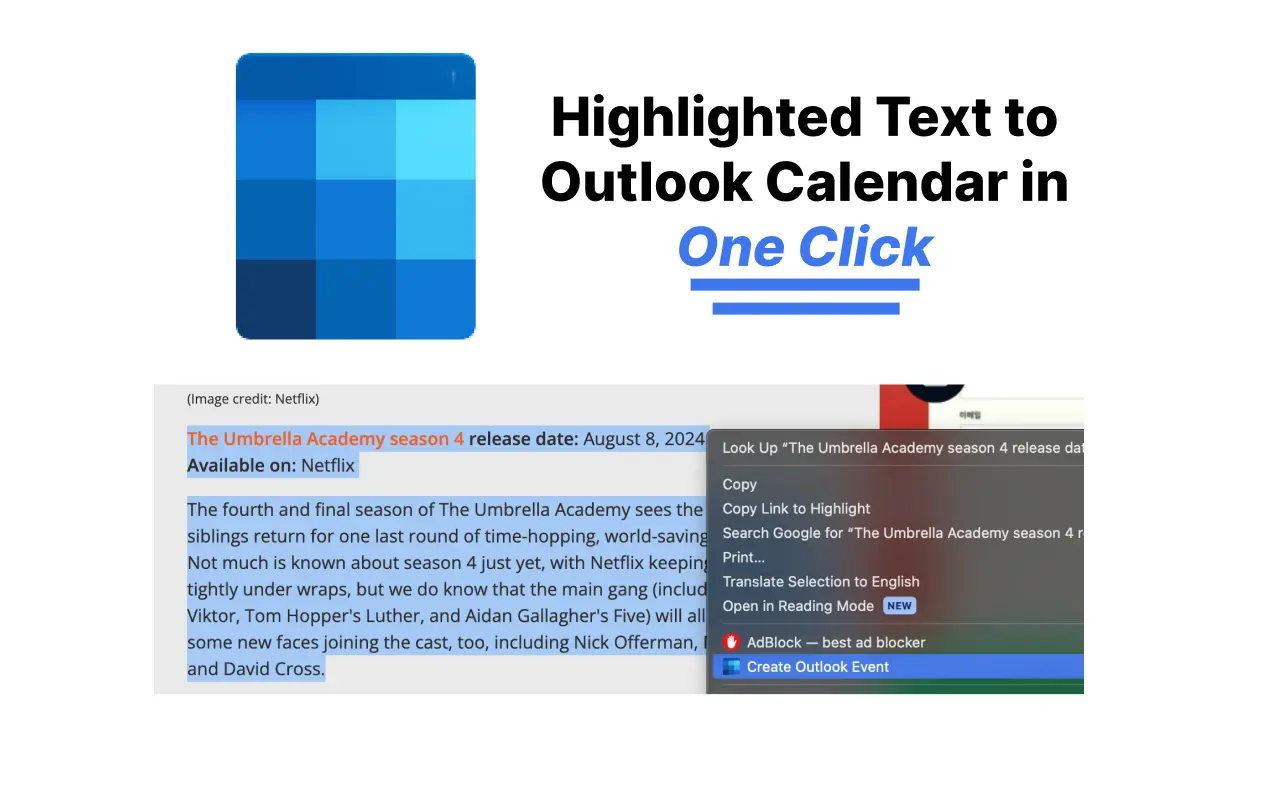
Merk enige teks — 'n e-pos, 'n skedule, 'n bespreking — regskliek, en Text to Outlook Calendar skep die gebeurtenis outomaties vir jou. Datums, tye, tydsones en liggings word outomaties ingevul.
Vertrou deur 626+ Outlook-gebruikers — 4 sterre op die Chrome Web Store
Waarom voeg jy stadig gebeurtenisse by Outlook-kalender?
Een klik vanuit gemerkde teks
Kies die teks wat jou vergadering noem, regskliek, en kies Skep Outlook Kalender Gebeurtenis. Geen oortjie-wissel nie, geen vorms invul nie.
Besonderhede word outomaties ingevul
Die KI onttrek die datum, tyd, tydsone, ligging en beskrywing uit die teks — selfs uit lang, onordelike e-posse.
Meervoudige en herhalende gebeure
Plak 'n volledige skedule en kry elke sessie as sy eie Outlook-gebeurtenis, insluitend herhalende patrone soos weeklikse klasse.
Werk met jou Outlook
Ondersteun beide persoonlike outlook.com-rekeninge en Microsoft 365 / Office-werksrekeninge. Kies joune eenmalig in instellings.
Geen handmatige invoerfoute nie
Hou op om datums oor tydsones oor te tik. Wat in die teks staan, is wat op jou kalender verskyn.
Gratis om mee te begin
Jou eerste 5 gebeure is gratis. Geen kredietkaart nodig om dit te probeer nie.
Hoe om teks by Outlook-kalender te voeg
- 1
Installeer die uitbreiding
Voeg Text to Outlook Calendar by Chrome toe vanuit die Chrome Web Store — dit neem net een klik.
- 2
Merk die teks
Kies die e-pos, boodskap of skeduleteks wat jou gebeurtenisbesonderhede bevat.
- 3
Regskliek en skep
Kies Skep Outlook Kalender Gebeurtenis uit die regsklikmenu. Die gebeurtenis maak oop in Outlook met alles vooraf ingevul — druk net op stoor.
Outlook kalender-uitbreiding veelgestelde vrae
Hoe voeg ek 'n e-pos by my Outlook-kalender?
Merk die relevante teks in die e-pos, regskliek, en kies Skep Outlook Kalender Gebeurtenis. Die uitbreiding ontleed die datum, tyd en ligging en maak 'n vooraf-ingevulde Outlook-gebeurtenis oop. Sien ons volledige gids oor die skep van kalendergebeure vanuit e-pos in Outlook.
Werk dit met outlook.com en Microsoft 365?
Ja. Jy kan tussen 'n persoonlike Outlook-rekening (outlook.live.com) en 'n werk- of skool-Microsoft 365-rekening (outlook.office.com) kies in die uitbreiding se instellings.
Is die Outlook kalender-uitbreiding gratis?
Die eerste 5 kalendergebeure is gratis, met eenvoudige bekostigbare planne daarna en 'n 14-dae geld-terug-waarborg.
Watter blaaiers word ondersteun?
Die uitbreiding werk op Google Chrome en Chromium-gebaseerde blaaiers wat Chrome Web Store-uitbreidings ondersteun, soos Edge en Brave.
Kan dit herhalende gebeure skep of tydsones hanteer?
Ja. Die KI spoor herhalende patrone soos elke Dinsdag en uitdruklike tydsones in die teks op, en pas dit toe op die Outlook-gebeurtenis.
Outlook-kalender tutoriale
Bemeester die res van Outlook Calendar met ons stap-vir-stap gidse:
- Hoe om 'n Kalenderuitnodiging in Outlook te Stuur
- Hoe om Outlook-kalender te Deel (Nuut, Web & Klassiek)
- Hoe om 'n Gedeelde Kalender in Outlook te Skep
- Hoe om Outlook-kalender by iPhone te Voeg (2026)
- Outlook-kalender Sinkroniseer Nie? 8 Oplossings
- Hoe om Outlook-kalender met Google Calendar te Sinkroniseer
- Hoe om Kalender by Outlook te Voeg (Vakansiedae, ICS)
- Outlook-kalendertoestemmings Verduidelik (2026)
Hou op om gebeure handmatig in Outlook in te tik
Installeer Text to Outlook Calendar en verander enige teks in 'n Outlook-gebeurtenis met een klik.